





 Landscape
GNSS Cold Start, Hot Start, and Warm Start: Why Your Tracker's First Fix Time Varies from Seconds to Minutes?
Admin 2026-04-05 596
Have you ever encountered a situation like this: you unbox a brand-new GPS tracker and have to wait nearly two minutes before it displays your location; with same device—after parking, turning off the engine, and then restarting—it successfully acquires a fix within just a few seconds?
This isn't a tracker device malfunctions, it is the result of three distinct "startup states" within the GNSS receiver coming into play. As an expert GPS tracker manufacturer who works with positioning devices on a daily basis, we are here to explain in detail the differences between these three states and how they impact your user experience.
Ⅰ. Understanding Two Key Concepts: Ephemeris and Almanac
"What are GNSS cold start, hot start and warm start in a GPS tracker?"
Before delving into the startup process, we first need to understand the two core types of data broadcast by GPS satellites:
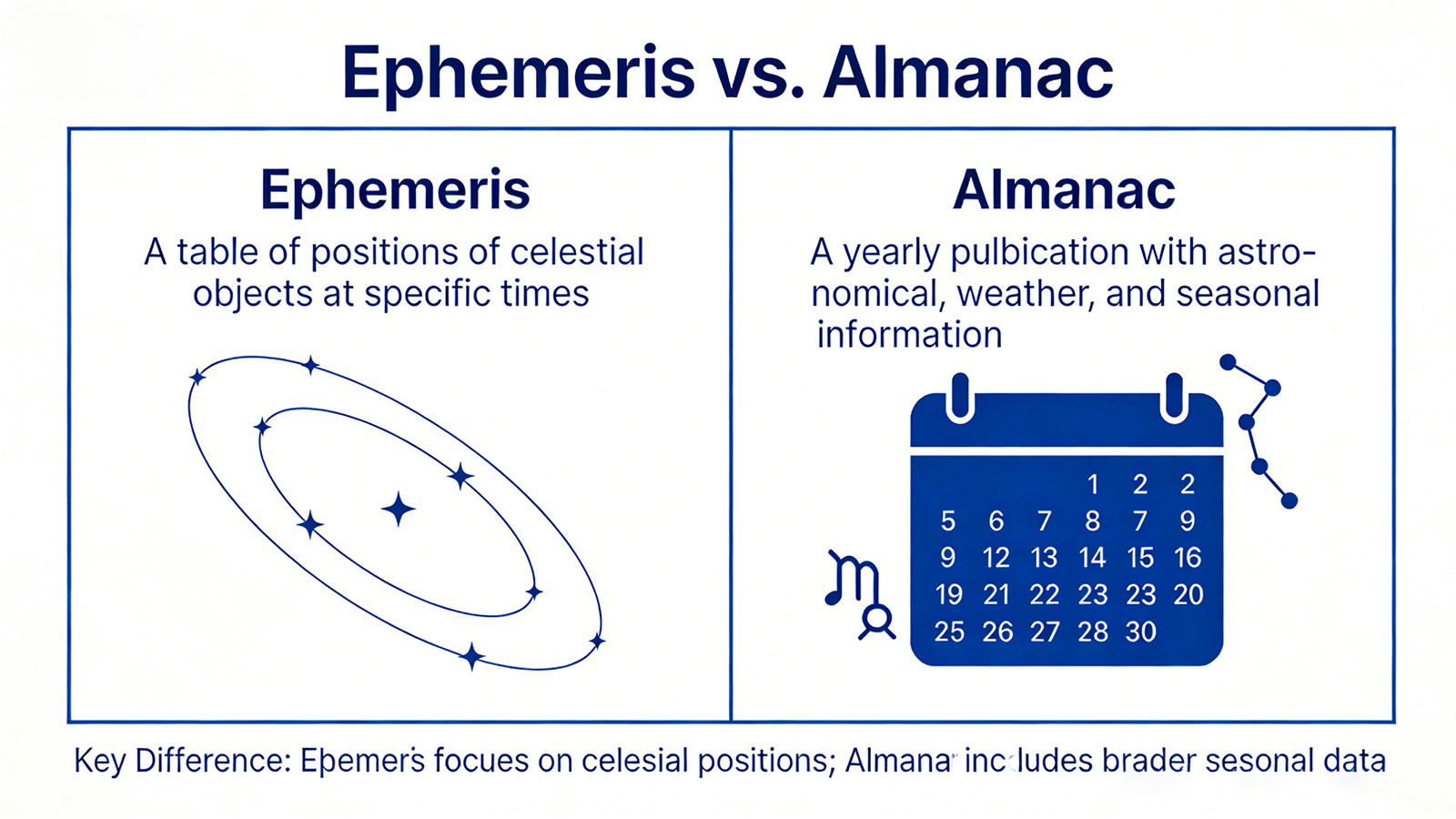
1.1 Ephemeris Data
Content: Precise orbital parameters and clock correction information for each individual satellite.
Characteristics: Large data volume, high precision, and a validity period of approximately 2 to 4 hours.
Function: Used to precisely calculate satellite positions; it is a prerequisite for accurate positioning.
1.2 Almanac Data
Content: Approximate orbital information for the entire satellite constellation.
Characteristics: Small data volume, lower precision, and a validity period ranging from several months to half a year.
Function: Informs the receiver "which satellites should currently be overhead."
Simply put: an almanac is like a train timetable, telling you when trains are scheduled to run; an ephemeris is like the real-time location of each individual train, telling you exactly where it is right now.
Ⅱ.Detailed Explanation of the Three Startup States
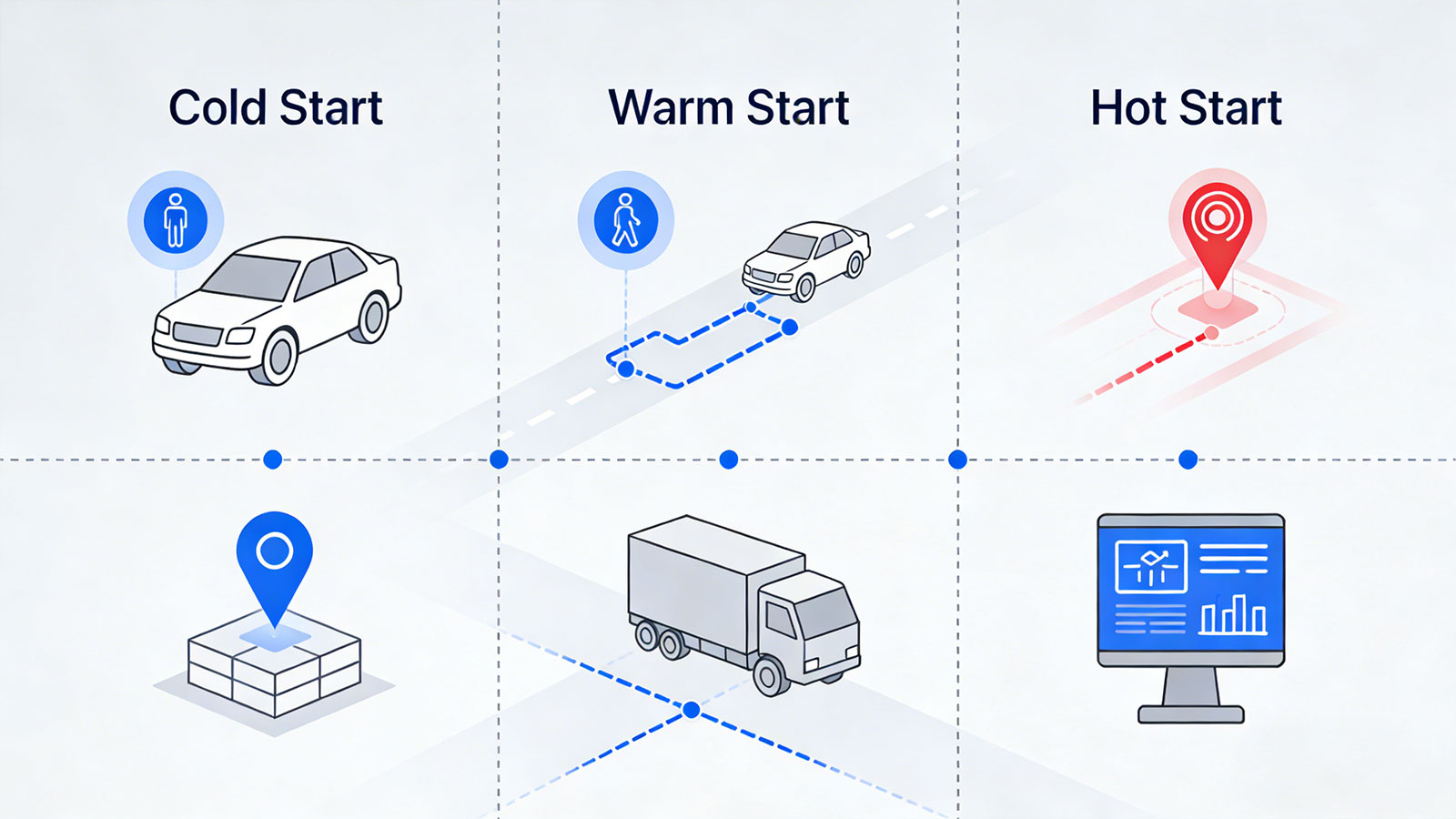
2.1 Cold Start — "Who am I? Where am I? What time is it?"
The receiver possesses no valid ephemeris or almanac data, and is unaware of the current time.
2.1.1 When It Occurs
The new device is powered on for the first time.
The device has been without power for an extended period (more than 4 hours).
The device is moved to a region thousands of kilometers away.
The device is recharged after the battery has been completely depleted.
2.1.2 Operation Process
(1) The receiver begins searching for satellite signals across all possible frequencies.
(2) Once a satellite is acquired, the complete almanac data is downloaded (requiring 12.5 minutes).
(3) Based on the almanac, the receiver predicts visible satellites and continues to acquire additional satellites.
(4) The specific ephemeris data is downloaded from each individual satellite (requiring 18–30 seconds per satellite).
(5) Once ephemeris data has been collected from a sufficient number of satellites (at least four), the positioning process begins.
2.1.3 Time to First Fix (TTFF)
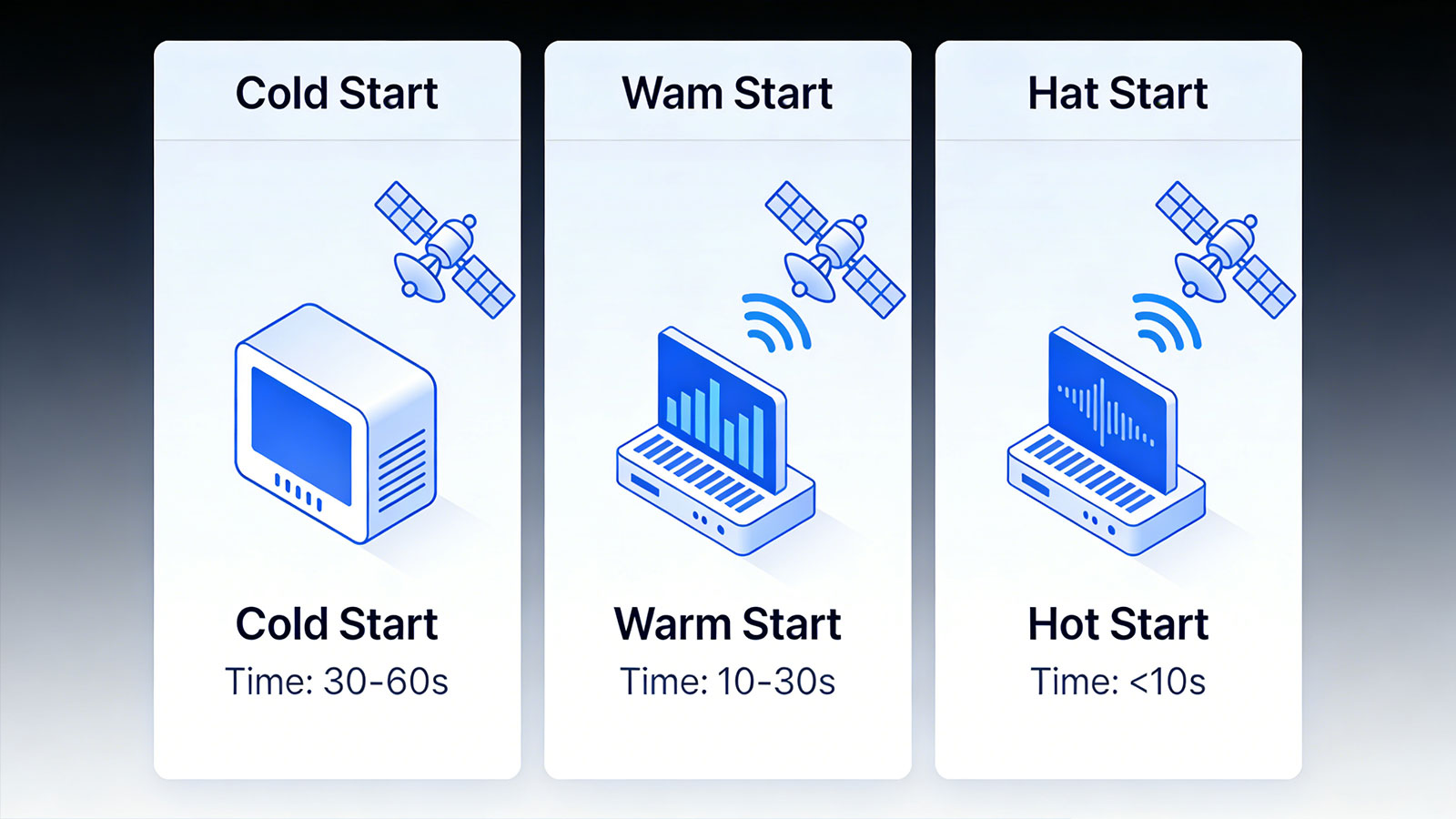
30–180 seconds; under extreme conditions, this may extend to 5–15 minutes.
2.1.4 Power Consumption
Highest, as the receiver requires full power to search for and download data.
The Cold Start is not a sign of a defective module, it is a penalty imposed by the physical world itself.
2.2 Warm Start — "I have a rough idea of what happened yesterday."
2.1.1 Definition
The receiver possesses valid almanac data—meaning it knows approximately which satellites are overhead—but its ephemeris data has expired.
2.1.2 When It Occurs
The device is powered back on after being switched off for a period ranging from a few hours to several days.
The device is restarted after moving a short distance within the same geographical area.
2.1.3 Operation Process
a)Uses the almanac to predict which satellites are currently visible.
b)Directs its search specifically toward the signals of these predicted satellites.
c)Downloads the current ephemeris data for each individual satellite.
d)Initiates the positioning process once sufficient ephemeris data has been acquired.
2.1.4 Time to First Fix (TTFF)
15–30 seconds.
2.1.5 Power Consumption
Moderate, a full-band search is not required, but downloading the ephemeris data consumes power.
The “Warm Start” represents a state that is "reasonably intelligent, yet has a poor memory"— a condition characteristic of 80% of all in-vehicle and portable GPS devices.
2.3 Hot Start — "I remember everything; I was just asleep."
2.3.1 Definition
The receiver possesses currently valid ephemeris data (acquired within the last 2–4 hours) and knows which satellites are overhead, as well as their precise positions.
2.3.2 When It Occurs
The device is immediately restarted after a brief power interruption.
The device regains signal lock after a brief loss of signal in an obstructed area.
2.3.3 Operation Process
a)Uses stored ephemeris data directly to predict satellite positions.
b)Rapidly acquires a lock on the satellites it has already "identified."
c)Decodes time signals directly without the need to re-download ephemeris data.
d)Achieves a position fix rapidly.
2.3.4 Time to First Fix (TTFF)
1–5 seconds
2.3.5 Power Consumption
Minimal, requires only a brief "wake-up" of the receiver.
The "Hot Start" isn't a matter of luck, it is the result of uncompromising standards across hardware, power management, and design.
Ⅲ. Visual Comparison of the Three Startup States
| No. | Existing Information | First Fix Time | Power Consumption | Typical Scenarios | |
| 1 | Cold Start | No any information | 30-180 seconds | Extremely High | Upon initial startup; after long-distance transport |
| 2 | Warm Start | Almanac Available, No Ephemeris | 15-30 seconds | Moderate | After overnight parking; when restarting the equipment |
| 3 | Hot Start | Valid Ephemeris Available | 1-5 seconds | Extremely Low | After a brief shutdown; after the equipment enters sleep mode |
Ⅳ. Why Is the First Fix Time Important?
4.1 Impact on User Experience
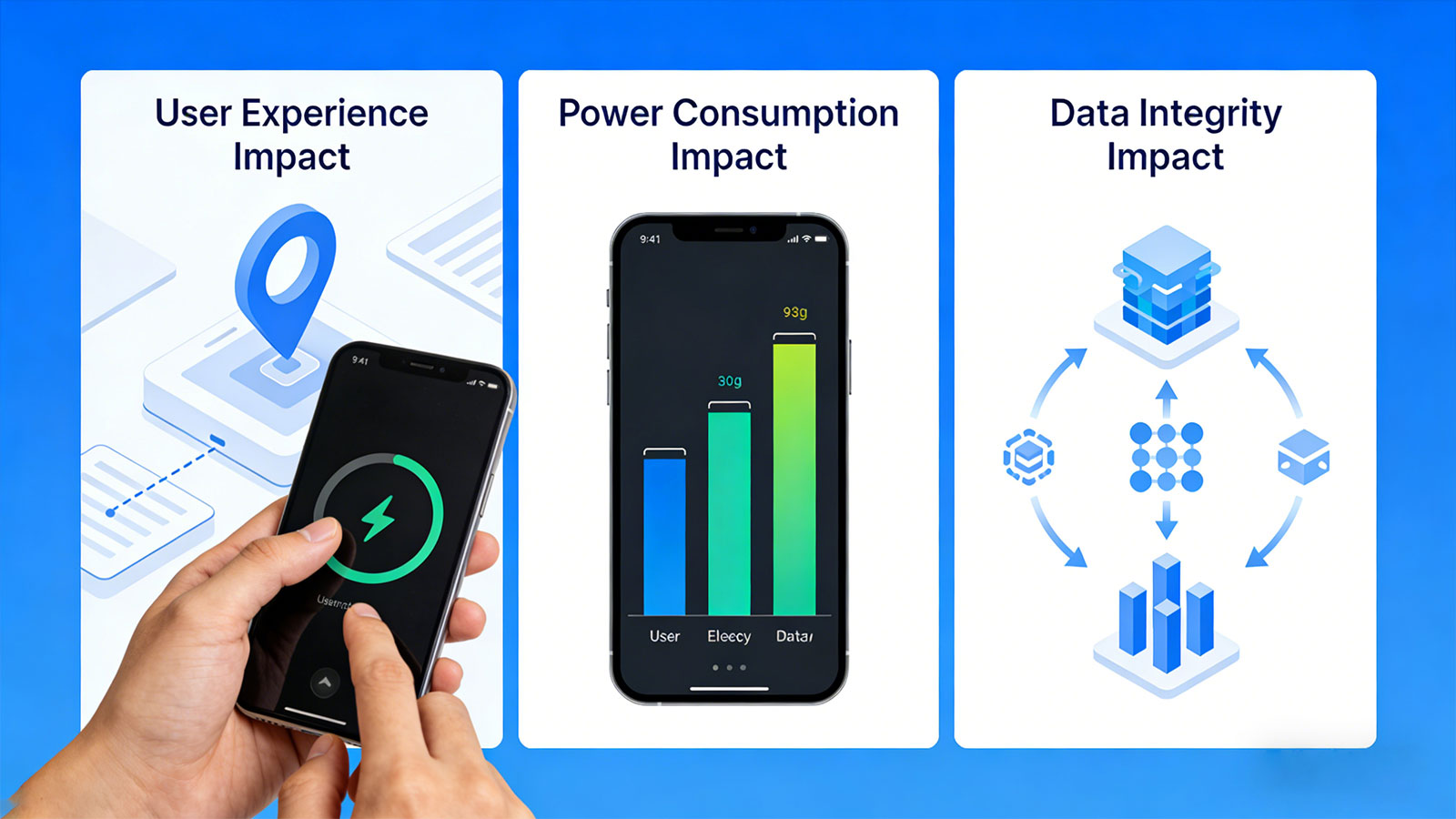
Vehicle Tracking: With a 2-minute delay during a cold start, the user may have already driven several kilometers.
Personnel Safety: In the event of an SOS alert, a 30-second delay versus a 2-minute delay results in vastly different rescue response outcomes.
Asset Monitoring: During warehouse inventory checks, if a device fails to report its status promptly after powering on, operational efficiency is compromised.
4.2 Impact on Power Consumption
Cold starts are not only slow but also extremely power-intensive. The energy consumed by a single cold start is equivalent to that of 30 to 50 hot starts. For battery-powered devices, frequent cold starts will significantly reduce battery life.
4.3 Impact on Data Integrity
When a vehicle passes through a tunnel or an underground parking garage, if the device requires a prolonged cold start after exiting a signal dead zone, the corresponding segment of the travel trajectory will be missing, thereby disrupting the continuity of the historical route data.
Ⅴ. How to Optimize the First Fix Time?
5.1 Assisted GPS (A-GPS)
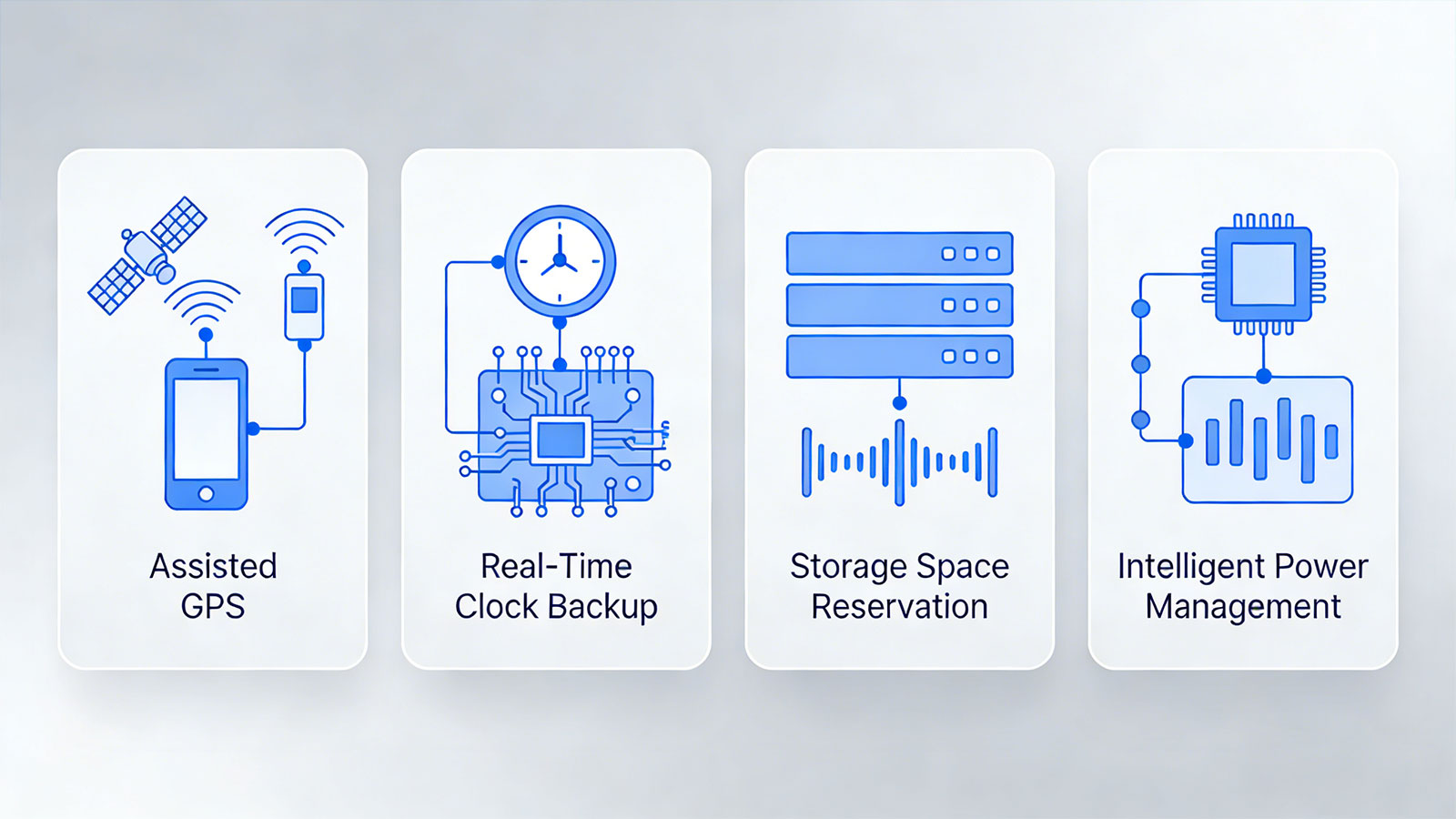
This is the most effective optimization technique. The device downloads current ephemeris data directly from the cloud via the cellular network, eliminating the need for slow decoding from satellites.
Performance Comparison
Cold Start (without assistance): 60–180 seconds
Cold Start (with assistance): 5–15 seconds
5.2 Real-Time Clock (RTC) Backup
The device features a built-in, battery-backed Real-Time Clock; thus, time information is not lost even if the main battery is depleted. This ensures that upon restarting, the device at least knows the current time, which facilitates a faster position fix.
5.3 Data Retention
Before powering down, the device saves the current ephemeris data to non-volatile memory. If the power outage is brief, this data can be used directly upon the next startup (resulting in a "Hot Start"). If the power outage is prolonged and the ephemeris data has expired, the time information remains intact, allowing the device to perform a "Warm Start" rather than a "Cold Start."
5.4 Intelligent Power Management
Motion Wake-up: The GPS module enters a complete sleep mode when the device is stationary and wakes up only when motion is detected.
Adaptive Positioning: The positioning frequency is dynamically adjusted based on the device's motion status—operating at a low frequency when stationary and a high frequency when in motion.
Ⅵ. Recommendations for Practical Application
6.1 For Vehicle Tracking
Long-term parked vehicles: The device enters deep sleep mode; the initial startup may be a "cold start" (taking 30–60 seconds). We recommend configuring A-GPS to ensure that location data is uploaded as quickly as possible once the vehicle starts.
Daily use: Brief engine shutdowns (e.g., for refueling or loading/unloading cargo) result in a "hot start," allowing for location acquisition within a few seconds.
6.2 For Personal Tracking
Wearables for the elderly/children: We recommend charging the device daily to keep it consistently online and avoid cold starts.
SOS scenarios: We have optimized the emergency mode so that—even during a cold start—priority is given to transmitting location data (initially using base station triangulation, followed by progressive refinement).
6.3 For Asset Tracking
Low-frequency reporting devices: These devices may report their status only once every few days, meaning each report constitutes a cold start. We recommend configuring a larger data buffer to ensure the device has sufficient time to complete both location acquisition and data uploading.
Ⅶ. Huaten Global's Technical Practices
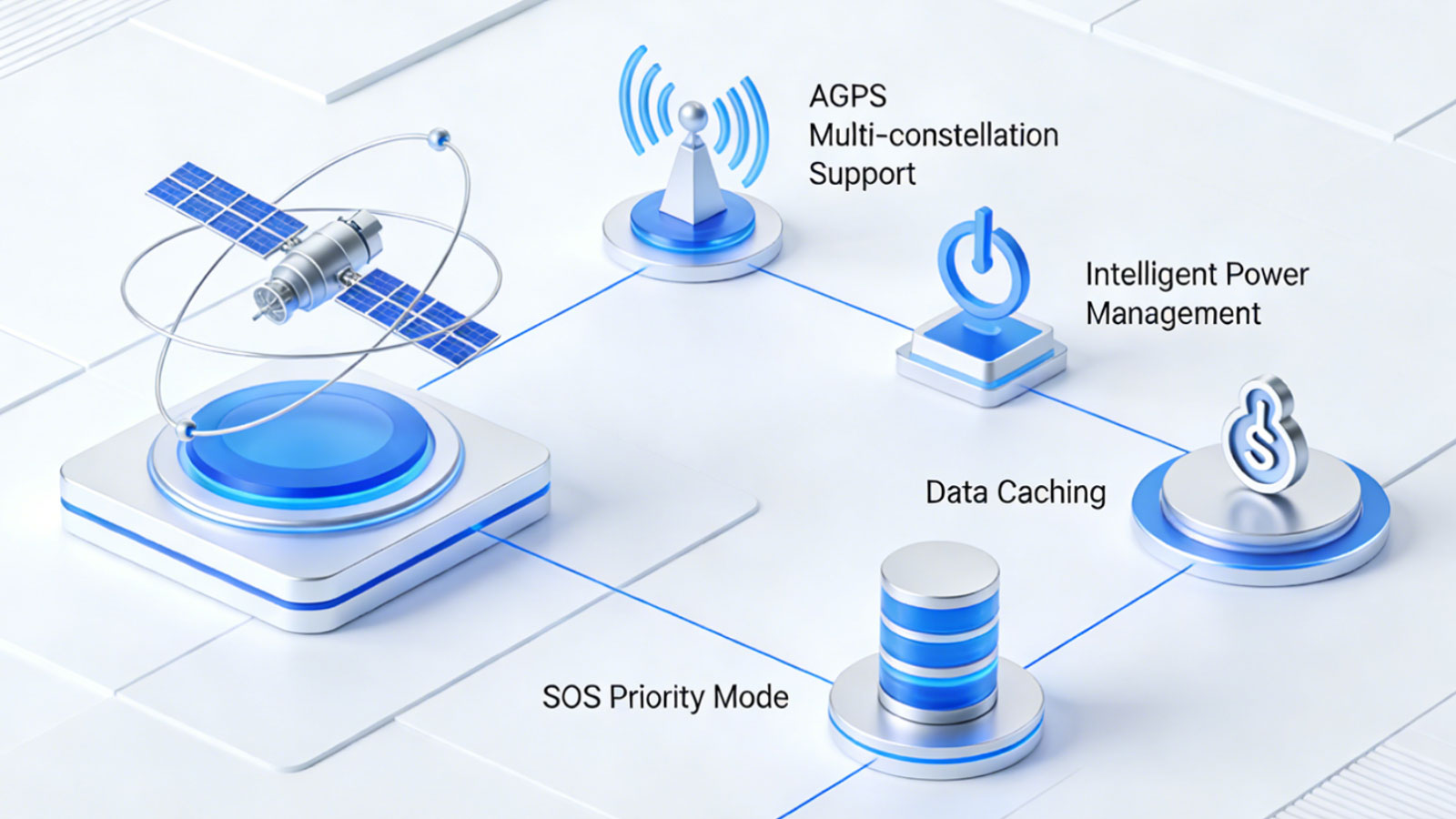
Across our entire range of GPS trackers, we have optimized the initial positioning experience through the following methods:
7.1 Standard A-GPS Support
Upon device startup, priority is given to acquiring ephemeris data via the cellular network, keeping cold-start times within 15 seconds.
7.2 Multi-Constellation Support
Simultaneous reception of GPS, BeiDou, and GLONASS signals increases the number of available satellites.
7.3 Intelligent Power Management
Dynamically adjusts positioning frequency based on movement status to strike a balance between real-time responsiveness and power consumption.
7.4 Data Buffering
Stores location data when the device enters signal blind spots; once the device exits a blind spot, a "hot start" is utilized to quickly upload the buffered data.
7.5 SOS Priority Mode
In emergency situations, the device initially uses base station triangulation for rapid reporting, subsequently refining the location data to achieve GPS-level accuracy.
Ⅷ. Summary
The three startup states of a GNSS receiver—cold start, warm start, and hot start—determine how long it takes for your tracker to go "from power-on to position fix."
Cold Start: Knows nothing; takes 1–3 minutes.
Warm Start: Has approximate data; takes 15–30 seconds.
Hot Start: Everything is ready; takes just 1–5 seconds.
Understanding these concepts will help you make better use of your tracking devices and set realistic expectations regarding positioning latency. Choosing devices that support A-GPS, multi-constellation tracking, and intelligent power management can significantly enhance your initial positioning experience.
If you have more stringent requirements regarding First Fix Time, or need to deploy in challenging environments, please feel free to contact our solutions team; we can provide customized optimization plans tailored to your specific scenario.
Search
Previous
GPS Drifting: The Physics Behind Phantom Movements and How Modern GPS Tracker Reduce It?
Next
Latest News
IP Protection Ratings is Not Permanent: Is Your GPS Tracking Device Truly Waterproof and Dustproof?
Is that Smartwatch Health Monitoring Medical Grade? - Focus on Trends, Not Medical Grade Disease Diagnosis Criteria
Battery Life Decoding: Seven Key Factors Affecting Your GPS Tracker Battery Duration
Is GPS Positioning Truly Real-Time? — The Truth About "Real-Time" GPS Tracking
Beyond Connectivity: What Your Tracker Can and Cannot Do When Cellular Networks Disappear?